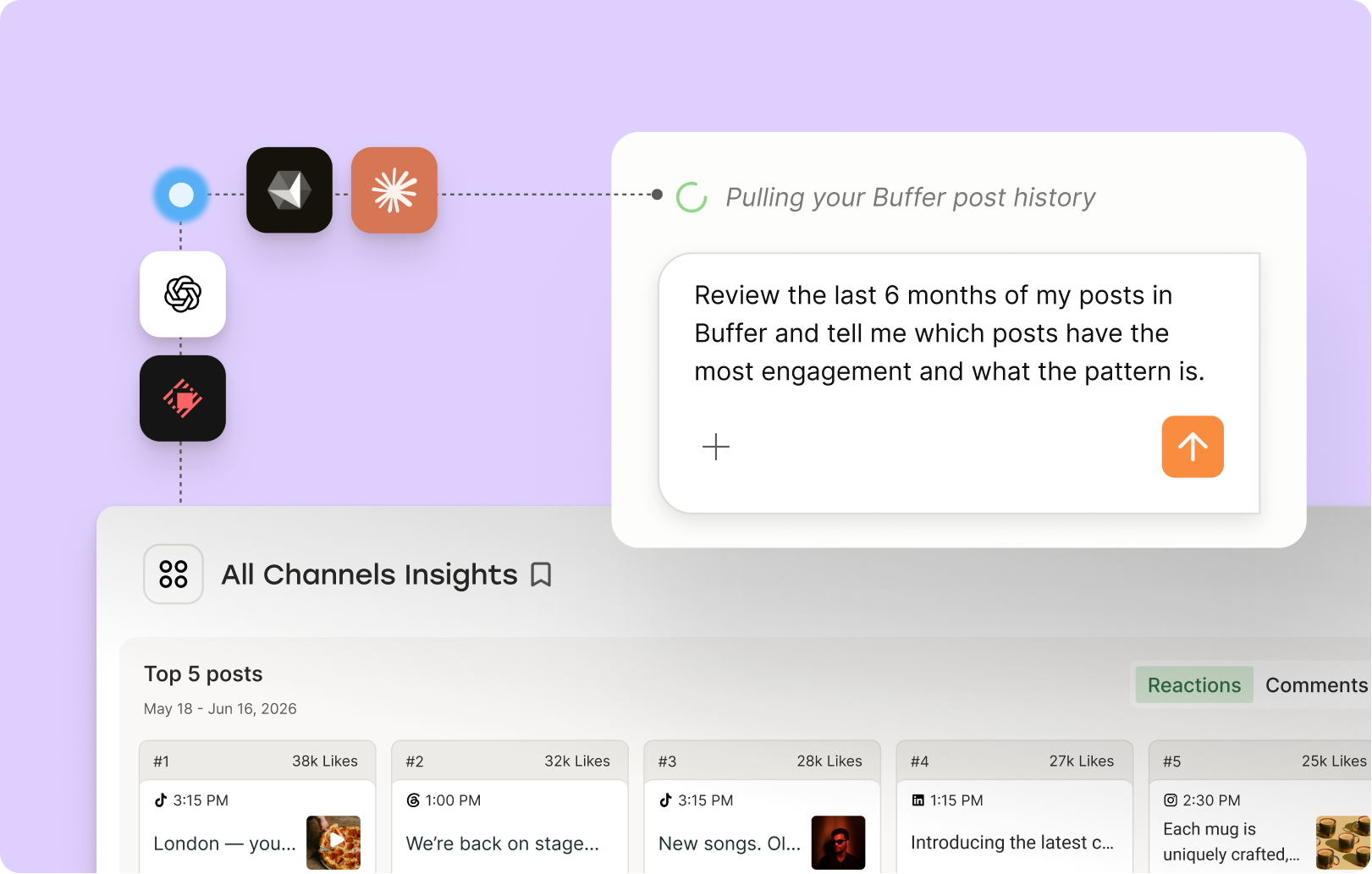
A four-part monthly planning loop using Buffer Insights: plan from past data, check weekly, tag launches, and report results.
Most monthly content plans are educated guesses. You remember what felt like it worked, you copy a few ideas from a competitor, and you hope. A better approach is a loop where your own data feeds the plan, the plan gets checked weekly, and the results get reported at the end.
Mike Eckstein, a product marketing manager at Buffer, runs his month this way using four parts of Buffer Insights. Here's how to turn his workflow into a planning system you can reuse.
Start the month with your own data
Before you decide what to post, find out what your audience has already responded to. Buffer has an MCP connection that lets AI assistants like Claude and ChatGPT read your social data. That means you can skip the spreadsheet and ask the assistant directly.
Eckstein's opening prompt is simple. He asks for a month of content for his LinkedIn and Threads profiles, and tells the assistant to pull the past year of Buffer data first and report what's resonating. The order matters. Analysis comes first and the plan comes second, so the suggestions rest on your numbers instead of generic advice.
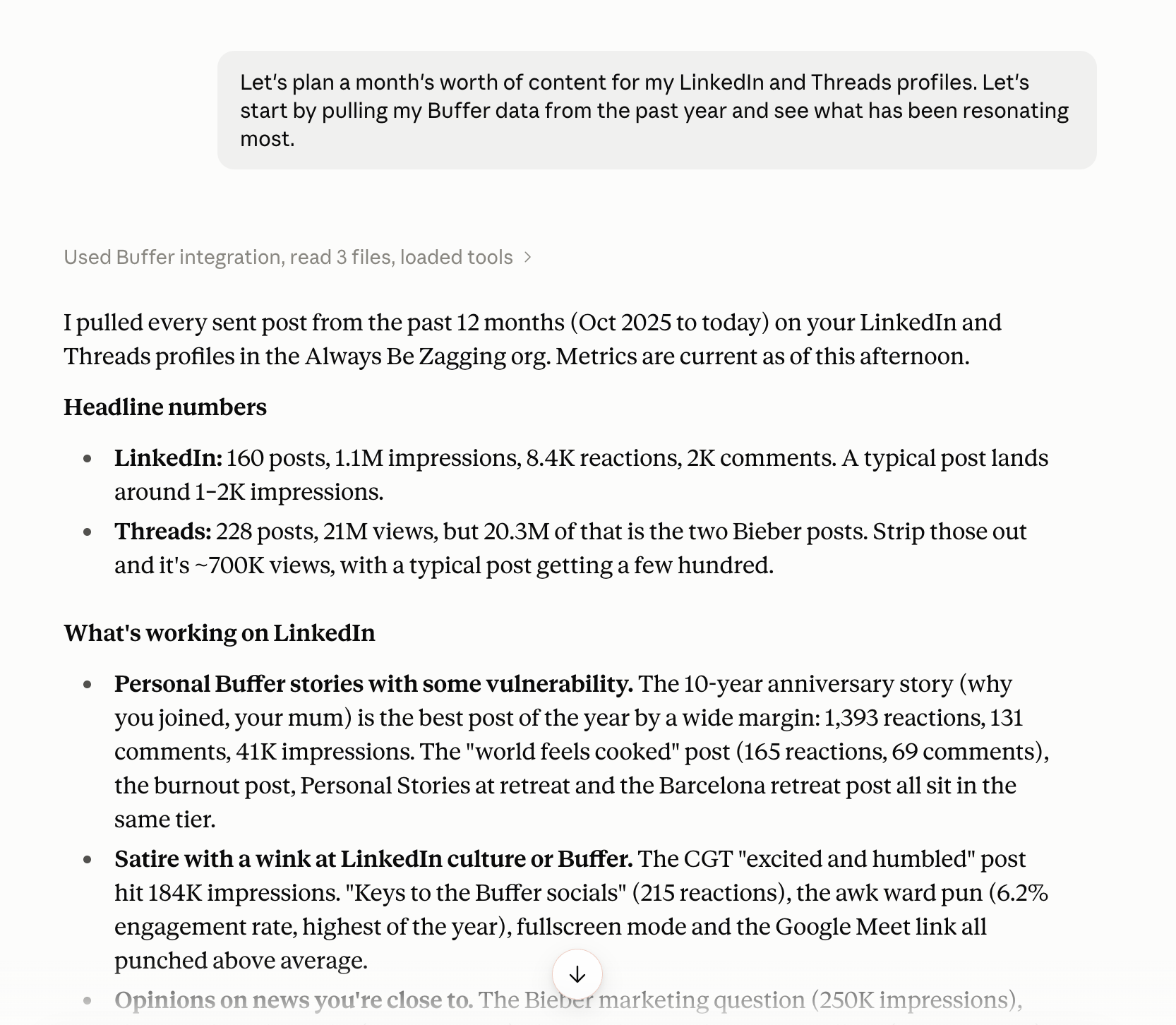
From there the assistant turns the findings into a rough monthly outline. Note that he uses it for planning, not for writing posts. He estimates it saves him a few hours a week, and it takes a lot of the daily "what do I post?" worry off his plate.
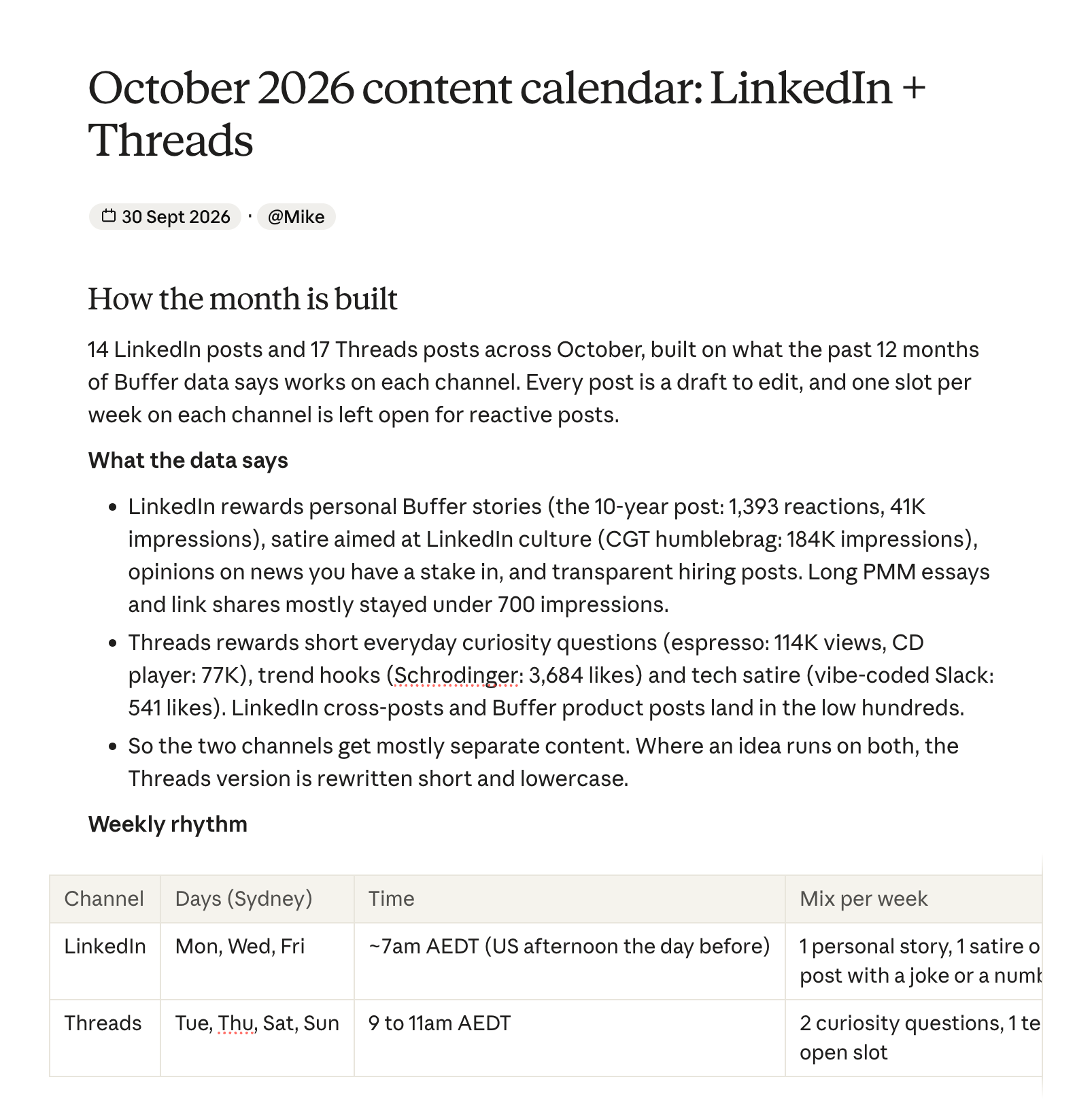
- Connect Buffer to your AI assistant of choice before planning day
- Pull at least several months of data, ideally a full year
- Ask which topics and post types performed best on each channel
- Turn the answer into a rough outline, not a locked schedule
Check weekly, and tag anything you need to measure
A monthly plan needs room to move. Trends pop up, products ship, and you'll want to post about things you couldn't predict. Weekly Pulse is the check-in that keeps the plan honest. It shows how many posts you've shared that week, how follower growth is tracking, and how much engagement you're getting.
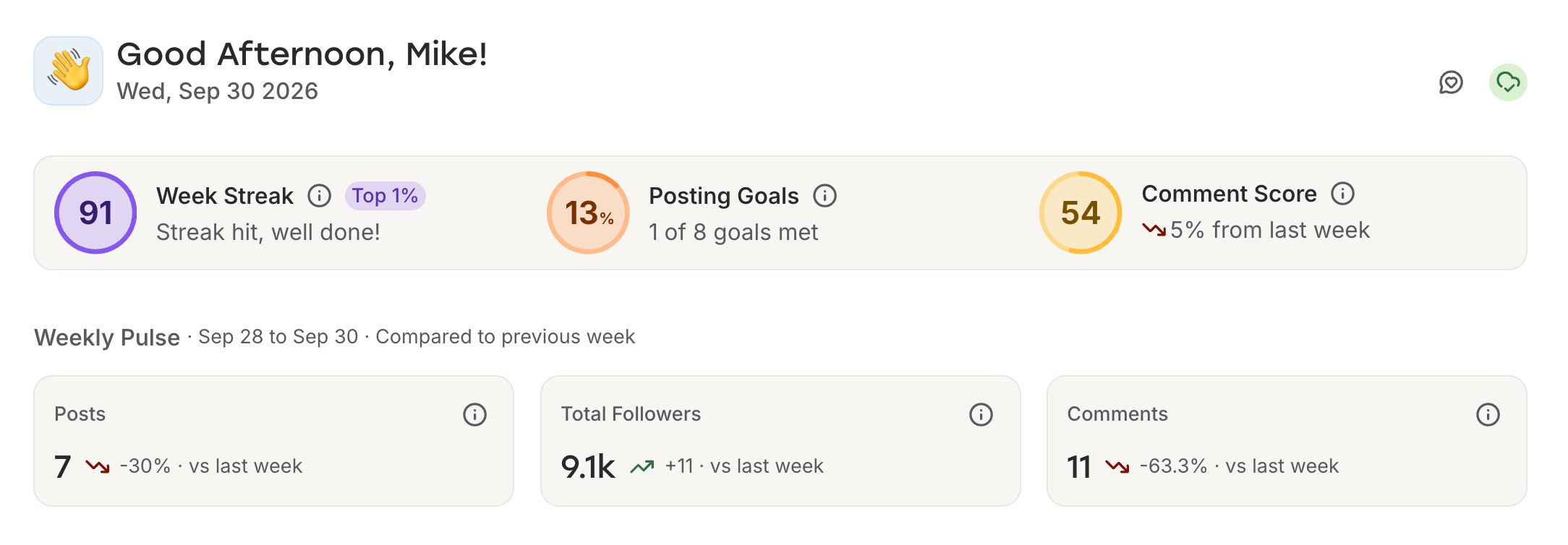
Eckstein also watches his comment score. Replying to comments helps post visibility, so he treats it as something to improve, not just observe. If your weekly view shows you're behind on engagement, adjust the next week's posts instead of waiting for month-end.
Tags handle the other planning problem: measuring a group of posts as one thing. The setup is two steps. Add a tag to each post when you schedule it, then filter by that tag in Insights. Eckstein uses this for product launches. When Buffer added Substack Notes support, every launch post got the same tag, and the six posts on launch day pulled 254 engagements and 17,000 impressions.
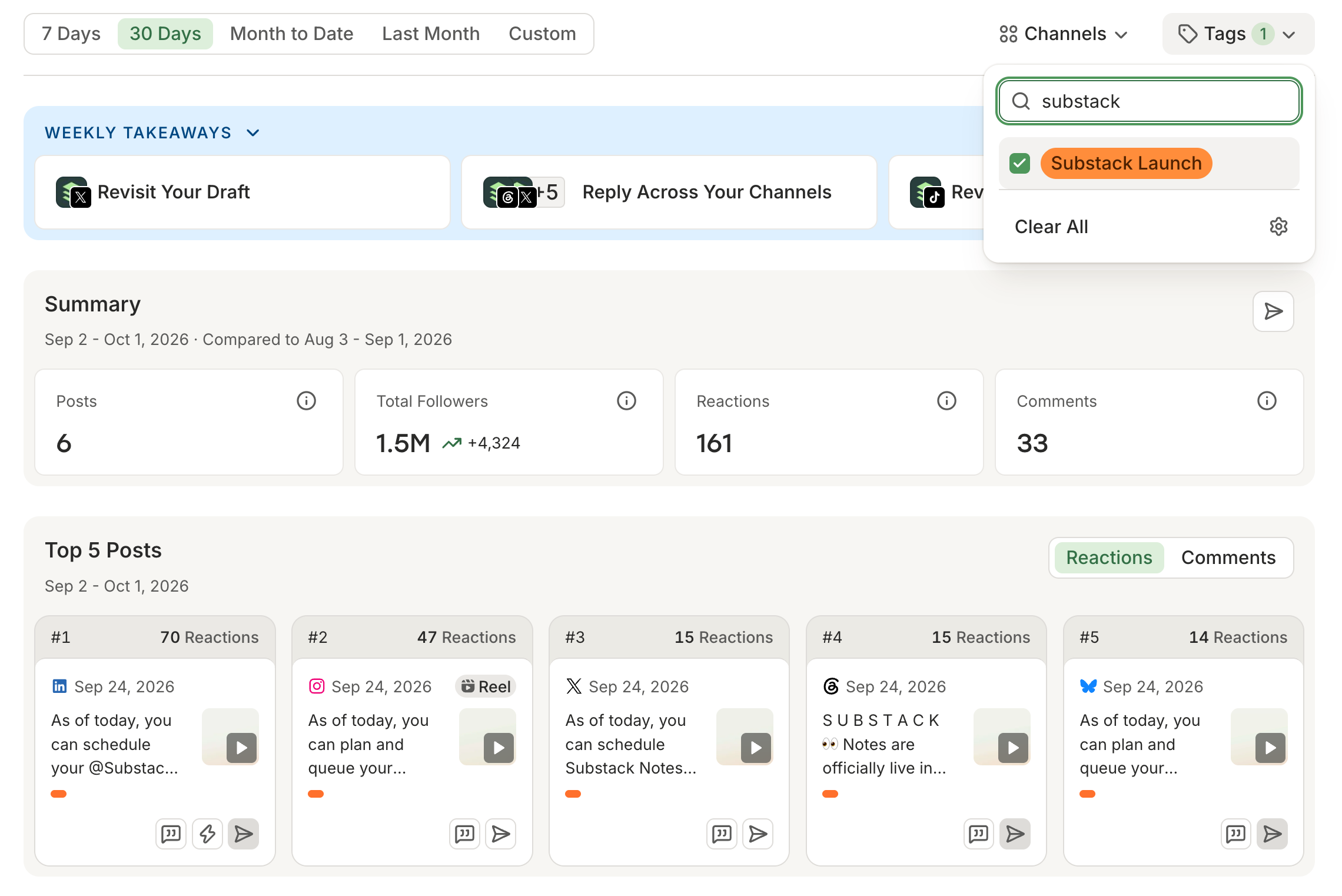
Since each launch gets its own tag, you can also compare launches against each other. Over time that tells you which metrics deserve a place in your next launch plan and which are noise.
- Pick a tag name for each launch or campaign before you schedule anything
- Tag every post in the group at scheduling time, not afterward
- Check Weekly Pulse once a week and note one adjustment to make
- Compare tagged launches side by side after each one
Close the month by sharing results
Results nobody sees don't help your plan or your credibility. Reporting isn't only for agencies. Eckstein uses reports to show product and leadership teams how campaigns are doing, which keeps marketing visible and makes the next budget conversation easier.
Buffer exports reports as PNG, PDF, CSV, or Markdown. He reaches for PNG snapshots most often because they're the quickest way to post a win in Slack. Use PDF for formal client or leadership reviews, and CSV when someone wants to dig into the numbers.
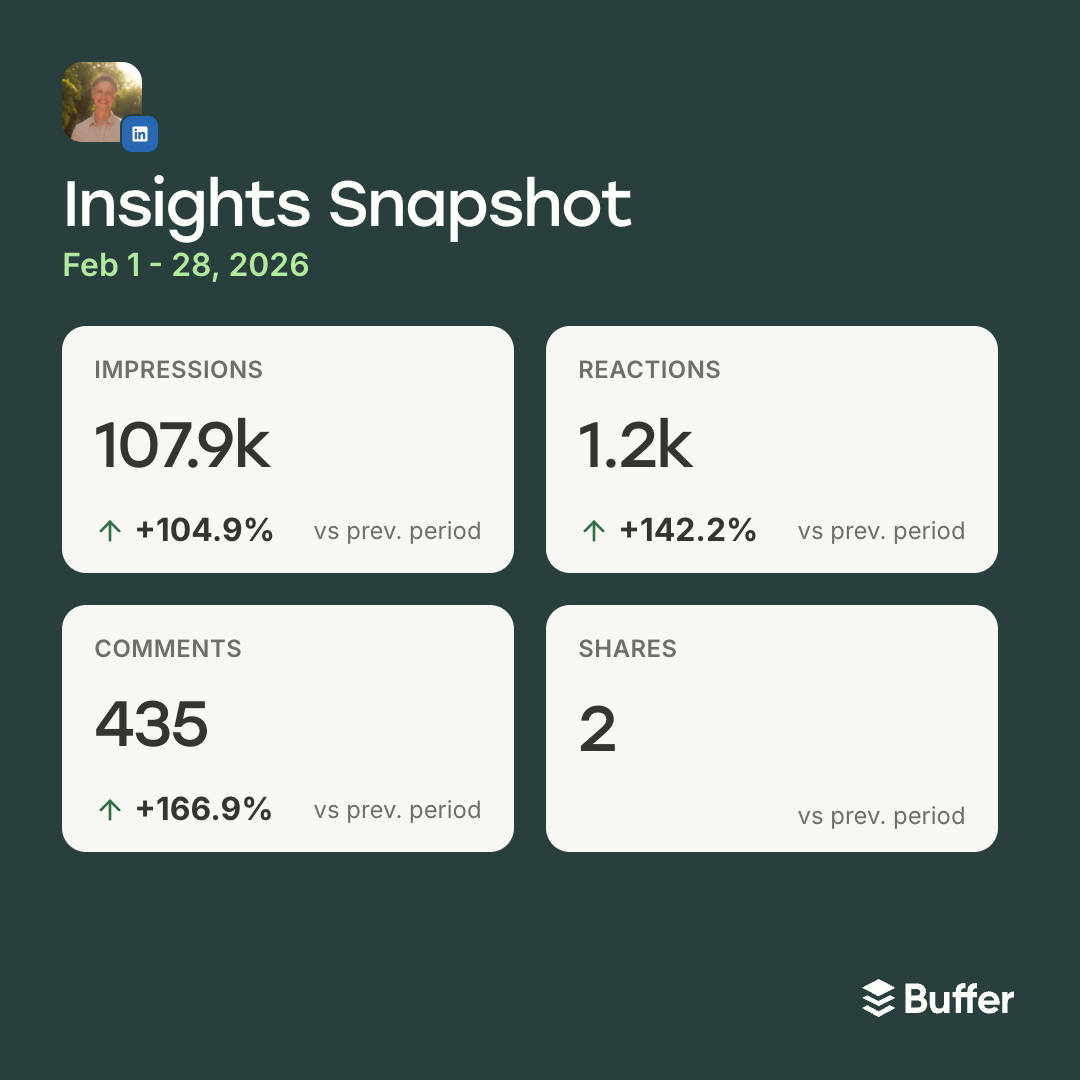
The full loop, start to finish
Each feature covers a different stage of the month, and together they make a repeatable system. The tools cover a lot of ground: Insights tracks follower growth, engagement, and impressions across eleven networks, including Instagram, LinkedIn, TikTok, Bluesky, and YouTube. It's also available on every Buffer plan, including free, so you can try the loop without paying.
- Start of month: pull a year of data through your AI assistant and draft the plan
- During the month: review Weekly Pulse and adjust upcoming posts
- For launches: tag every post so the group can be measured together
- End of month: export a report and share it with your team or client
- Next month: feed the new results back into your planning prompt
Run it for three months and you'll have a planning habit built on evidence, with a paper trail showing what you tried and what it did.


Leave a
comment