
Compare seven Metricool alternatives by real plan cost, so you know which add-ons you'd pay for before you switch.
Metricool is great if you like digging into numbers. The sticker price is friendly too. The trouble starts when your setup grows, because the plan you start on and the plan you end up paying for are often two different things.
One caveat before we go on. The source for this guide comes from Buffer, which is one of the tools being compared. Treat the prices below as a starting map and confirm them on each pricing page before you commit.
Where Metricool's price creeps up
Metricool's Starter plan for a single user runs from $25 a month billed monthly. Advanced, the team plan, starts at $67. Those numbers look fine until you list what you actually need and find it sitting outside the plan.
- <strong>Platforms:</strong> LinkedIn and X/Twitter aren't on the Free plan at all. On paid plans X is a $10/month add-on for each account you connect.
- <strong>Analytics:</strong> The full suite and custom reports need an upgrade or add-on. Complete X analytics are limited to higher tiers.
- <strong>AI:</strong> Credits are capped on every plan. Once they run out, you upgrade or wait for the monthly reset.
- <strong>Agency features:</strong> API access and white label sit on higher tiers, and white label needs a custom plan.
- <strong>Hashtag tracking:</strong> It works on X and Instagram, but costs €25 a day per channel on the days you use it.
What the seven alternatives cost to start
The entry points are very different, and so are the pricing models. Some charge per channel, some per user or seat, and some per workspace. That changes the math a lot depending on whether you're a solo creator with five profiles or a team with two logins.
- <strong>Buffer:</strong> Free plan, then paid from $6/channel/month, with a 14-day trial of paid features. Good for creators, small businesses and growing agencies.
- <strong>Hootsuite:</strong> 14-day trial, then $149/user/month. Its draw is competitor benchmarking next to your own data.
- <strong>Sprout Social:</strong> 30-day trial, then $99/seat/month. Built for high volumes of comments and DMs through its Smart Inbox.
- <strong>Agorapulse:</strong> 30-day trial, then $99/user/month. Strongest on analytics and ROI reporting.
- <strong>SocialPilot:</strong> 14-day trial, then $30/month. Its draw is a white-labeled dashboard on your own domain.
- <strong>Later:</strong> Free, with paid plans from $25/month. A drag-and-drop calendar and grid preview suit Instagram-heavy planning.
- <strong>Planable:</strong> Free, with paid plans from $39/workspace/month. Multi-step approval workflows are the point.
If you're a solo creator, the per-channel model is the one to look at closely. Buffer's $6/channel/month with 20% off annual billing stays predictable. It also doesn't charge extra for supported platforms, so X/Twitter and LinkedIn are on every plan, free included. That's the main gap with Metricool.
The free tier is usable, not a demo. It covers three channels with up to 10 queued posts per channel, a slot opening back up each time one publishes. You also get 100 saved ideas in Create Space and AI assistance with no credit cap on any plan.
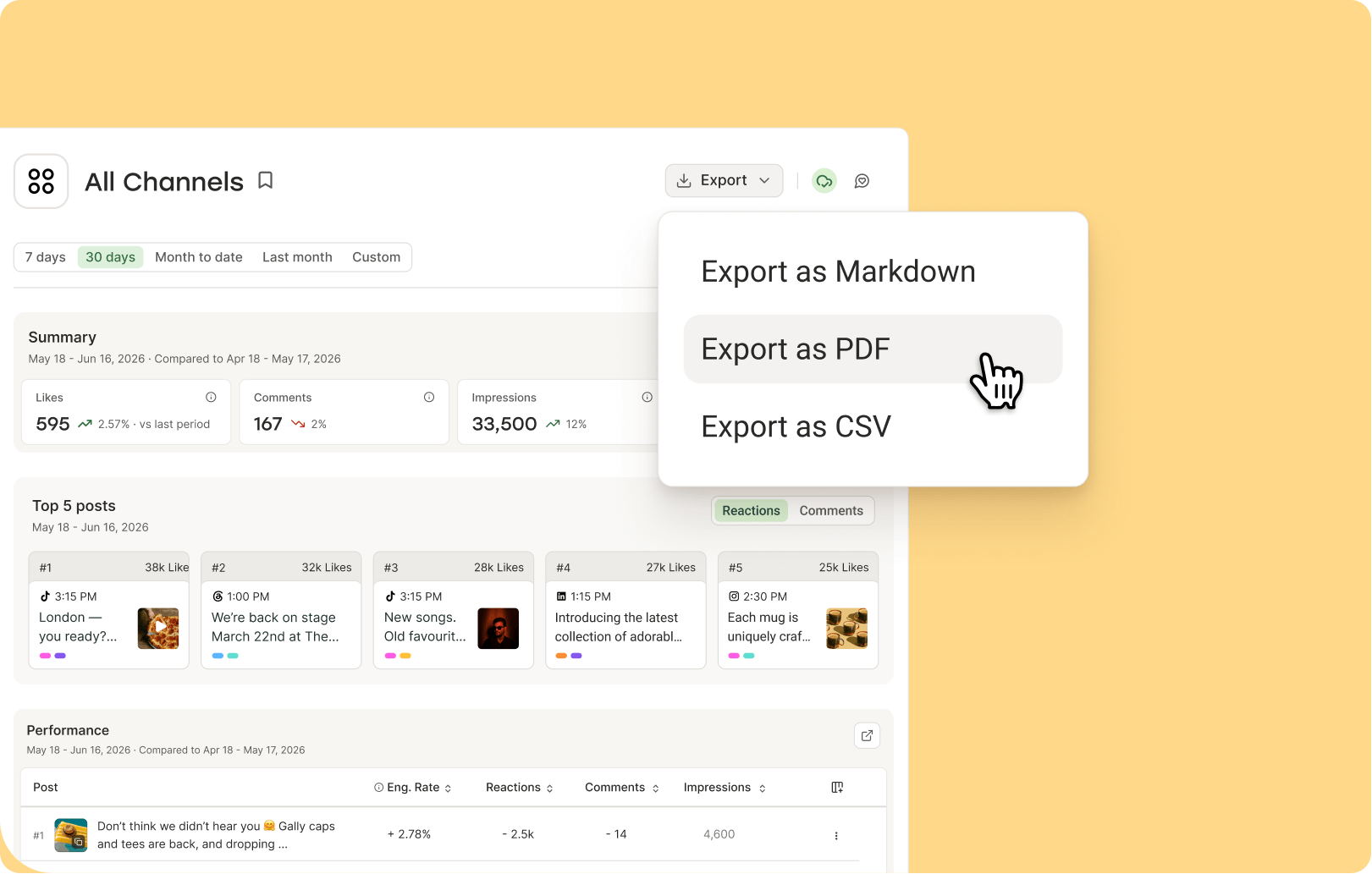
Export options matter if you send reports to clients or sponsors. Check that your shortlisted tool exports in the format you actually use, and that doing so doesn't need a higher plan.
Match the plan to how you work
The cheapest tool is rarely the right one. Pick based on the one job you can't compromise on, then check the price of that job specifically.
- Tracking competitors: Hootsuite, but at $149/user the cost is steep for solo use.
- Heavy inbox traffic: Sprout Social.
- Proving ROI: Agorapulse.
- Client-branded dashboards: SocialPilot.
- Instagram feed planning: Later.
- Client sign-off before anything publishes: Planable.
If none of those is a hard requirement and you just want solid scheduling, analytics and a shared inbox at a low cost, start with the tool that has a free plan. You can learn a lot before spending anything.
Audit before you switch
Run this before you cancel anything. It takes about twenty minutes and stops you from trading one surprise bill for another.
- List every channel you post to, including X/Twitter and LinkedIn, and note which ones your current plan charges extra for.
- Write down your real monthly Metricool bill, including add-ons like per-account X fees and analytics.
- Decide whether you need per-channel, per-user or per-workspace pricing, based on how many profiles and teammates you have.
- Mark your non-negotiable feature: competitor data, inbox, ROI reports, white label, visual planning or approvals.
- Check whether AI usage is capped on the plan you're considering.
- Confirm report export formats and whether they're locked behind a tier.
- Start a free plan or trial on your top two choices and connect your real accounts.
- Recheck current pricing on each vendor's page before you pay, since plans change.
Use the trial to test your busiest week, not a quiet one. Queue a full batch of posts, run a report and answer comments from the inbox. If a tool feels clunky then, it will feel worse when you're swamped.


Leave a
comment