
Match your size, budget, and platforms to the right engagement tool tier, then build a simple weekly routine around it.
Most creators don't have an engagement problem. They have a routing problem. Comments land in one app, DMs in another, mentions somewhere you never check. Engagement tools fix that, but the pricing tiers are wildly different, and paying enterprise rates for a solo account is a classic waste of money.
So before you open a single pricing page, decide which tier of tool you actually need. Here's how I'd think about it.
Know which features you're actually paying for
Engagement tools go by a few names: community management tools, engagement platforms, engagement software. They all do some mix of five things: a unified inbox, automated comment moderation, team collaboration, social listening, and analytics. Almost no tool nails all five, and you don't need all five.
A solo creator mostly needs the inbox. A small business with a part-timer adds collaboration. An agency adds approvals. Listening and sentiment tracking matter once you have enough brand chatter that you can't read it all yourself.
- List the platforms where people actually comment and DM you today
- Mark which of the five features you'd use weekly, not 'someday'
- Count how many people need inbox access
- Set a monthly ceiling before you look at any pricing
Match a plan to your situation
Here's the rough ladder, using the lowest publicly listed prices that include engagement features (billed monthly, so check current numbers before you commit).
Free or near-free. If you live mostly on Facebook and Instagram, Meta Business Suite is entirely free and puts DMs and comments in one inbox. If your main need is automating DM replies when someone comments a keyword, Manychat has a free plan for up to 25 active contacts a month, with paid plans from $17/month.
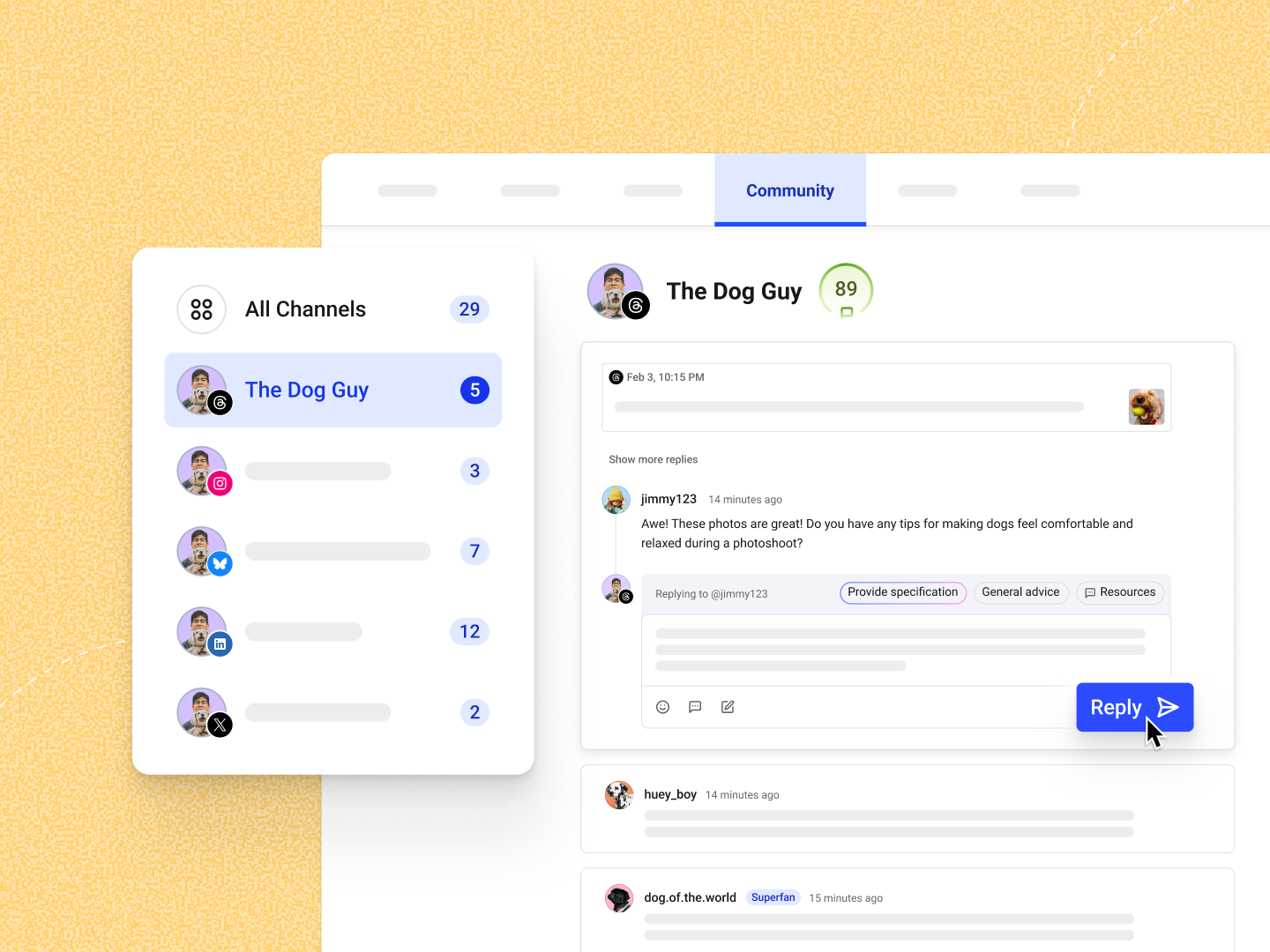
Low-cost, multi-platform. This is where Buffer sits. Its free plan covers 3 channels, and paid plans start at $6 per channel per month. Its Community inbox pulls in comments from 10 networks (Facebook, Instagram, Threads, LinkedIn, X/Twitter, TikTok, YouTube, Bluesky, Mastodon, and Google Business Profiles), plus mentions from X, LinkedIn, and Instagram. Connect a new account and it imports the last 30 days of comments, so you don't start with an empty inbox.
Mid-range, specialized. Sked Social starts at $69/month and suits agencies that need client approvals. NapoleonCat starts at $109/month and keeps conversation history, internal notes, and sentiment, which helps if social is basically your support desk. CommentGuard starts at $29/month and auto-hides profanity on Facebook and Instagram.
Enterprise. Sprout Social ($249/seat/month) and Hootsuite ($149/user/month) bundle engagement with listening. Sprout also alerts you to unusual spikes in brand messages. Those per-seat prices add up fast, so only go here if you have the volume and the team to justify it. BrandBastion, which moderates comments in 109 languages, doesn't publish pricing at all. You'll need a demo.
Build a weekly engagement plan around the tool
A tool only helps if you open it on a schedule. Pick a trial (most paid options offer 7 to 30 days) and run it like a real test, not a casual look around. Reply to everything through the tool for two weeks and see if it feels lighter or just like another tab.
Use the time-savers the tool gives you. In Buffer, for example, you can filter by unanswered, newest, or oldest, so the comments that need you rise to the top. You can also save replies for questions you get every week and use AI suggestions when you're stuck. Edit those drafts so they still sound like you. Moderation rules are worth setting up in week one, because spam you never see is spam you never have to answer.
- Connect every active account and confirm comments and mentions are flowing in
- Set two or three fixed inbox windows per day instead of checking constantly
- Sort by unanswered first and clear that queue before anything else
- Save replies for your five most repeated questions
- Turn on spam or profanity filtering if the tool offers it
- Assign permissions if anyone else helps: full access, view-only, or none
- At the end of the trial, compare your response time and time spent against before
If after two weeks you're replying faster and nothing slips through, keep the plan. If you're ignoring the inbox, the problem is the routine, not the software, and a pricier tier won't fix that.

Leave a
comment